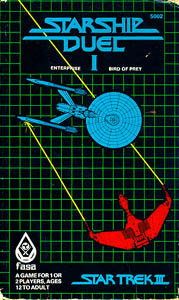
The game gem is a species of whiz wheel. It only tracks the bearing and relative facing of your opponent, not the range. This is the "first person point of view" style of gaming, similar to the "Ace of Aces" game booklets. So for the price of ignoring range, one gains the advantage of not needing a large hexmap, only two handheld wheels.
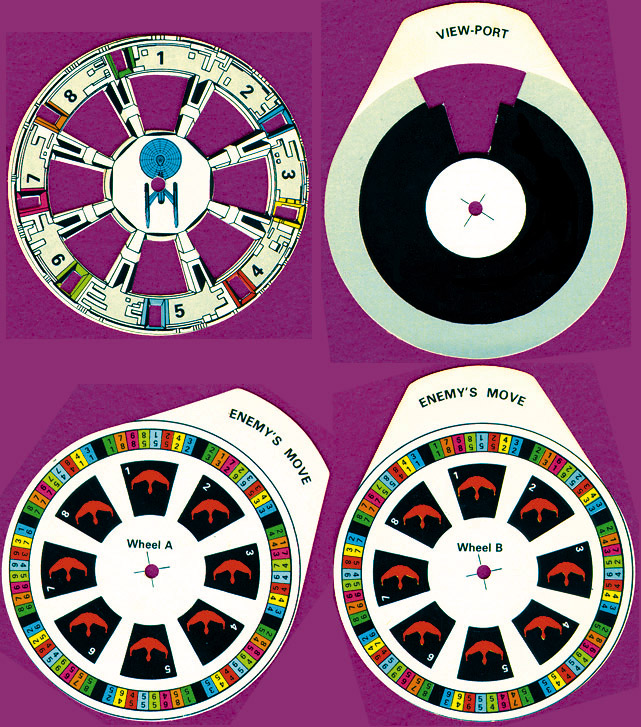
You and your opponent have a whiz wheel, called a Navigation wheel. The wheel has three components, stacked and held with a brad in the center. The top level shows your starship in the center. The middle opens the appropriate view port. The bottom level shows your opponent's starship.
The game comes with two bottom levels for each player. To make the system work, one player uses a bottom level marked "A" and the other uses a bottom level marked "B". It will not work if both players use the same letter.
Note that the top level has tiny color coded windows. This helps deal with the fact that a wheel with a brad in it has an awful lot of play. The rule is that when numbers are visible through a tiny window, the color of the number should match the color of the window. If not, scrunch the wheel until it does.
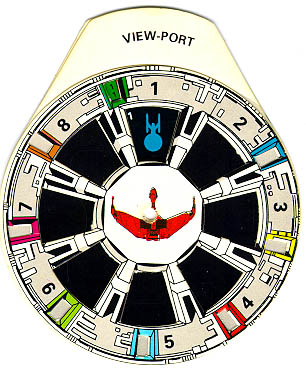
Here we have the the Klingon bird of prey facing a Federation starship. They are nose to nose.
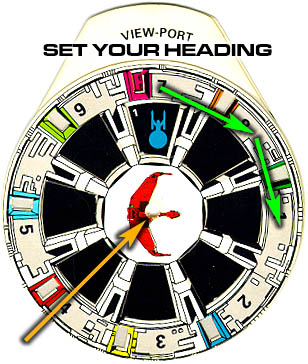
Step 1: Set your heading. The Klingon wants to turn ninety degrees right (most ships can only turn a maximum of 90 degrees per turn). The top level is turned two view ports clockwise (green arrows). This is called two "clicks". The Klingon is now 90 degrees right (orange arrow). The Klingon player tells his opponent the new heading.
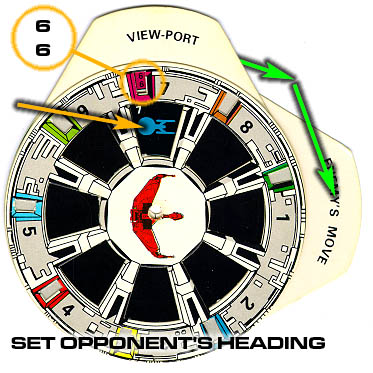
Step 2: Set opponent's heading. The Federation player tells you that they too are turning two clicks clockwise. Rotate the middle bottom level two clicks clockwise to reflect this (green arrows). Note that the Federation ship is now broadside on (orange arrow).
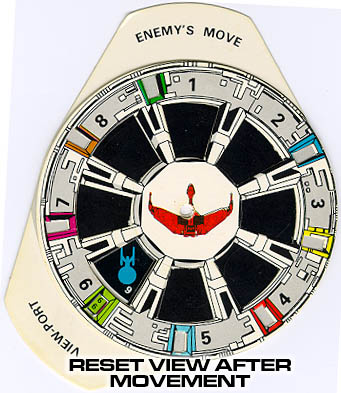
Step 3: Reset view after movement. Each starship moves forwards. Look in the color-coded window, the magenta one. It says 6 / 6. The top number is the open view port. The bottom number is the number of the opponent's image. Rotate the middle level so view port number six is open. Rotate the bottom level so Federation ship image six is visible. When you are done it should look like this:
The ship's data sheet lists all the ship's weapons and which view ports each can fire through. The wheel notes the view port containing the target. You decide which eligible weapons will fire and roll to see which hit.
Your opponent notes on their wheel where your ship appears. This shows which of their shields will suffer the damage from your weapons fire.